Ads
Displays ads in your app. Only available for mobile (Android and iOS) platforms.
Packaging
To build your Flet app that uses ads control add --include-packages flet_ads to flet build command, for
example:
flet build apk --include-packages flet_ads
Examples
- Python
import flet as ft
import flet.ads as ads


def main(page: ft.Page):
    page.horizontal_alignment = ft.CrossAxisAlignment.CENTER

    id_interstitial = (
        "ca-app-pub-3940256099942544/1033173712"
        if page.platform == ft.PagePlatform.ANDROID
        else "ca-app-pub-3940256099942544/4411468910"
    )

    id_banner = (
        "ca-app-pub-3940256099942544/6300978111"
        if page.platform == ft.PagePlatform.ANDROID
        else "ca-app-pub-3940256099942544/2934735716"
    )

    def handle_interstitial_close(e):
        nonlocal iad
        print("InterstitialAd closed")
        page.overlay.remove(e.control)
        page.overlay.append(iad := get_new_interstitial_ad())
        page.update()

    def get_new_interstitial_ad():
        return ads.InterstitialAd(
            unit_id=id_interstitial,
            on_load=lambda e: print("InterstitialAd loaded"),
            on_error=lambda e: print("InterstitialAd error", e.data),
            on_open=lambda e: print("InterstitialAd opened"),
            on_close=handle_interstitial_close,
            on_impression=lambda e: print("InterstitialAd impression"),
            on_click=lambda e: print("InterstitialAd clicked"),
        )

    def display_new_banner_ad():
        page.add(
            ft.Container(
                content=ads.BannerAd(
                    unit_id=id_banner,
                    on_click=lambda e: print("BannerAd clicked"),
                    on_load=lambda e: print("BannerAd loaded"),
                    on_error=lambda e: print("BannerAd error", e.data),
                    on_open=lambda e: print("BannerAd opened"),
                    on_close=lambda e: print("BannerAd closed"),
                    on_impression=lambda e: print("BannerAd impression"),
                    on_will_dismiss=lambda e: print("BannerAd will dismiss"),
                ),
                width=320,
                height=50,
                bgcolor=ft.colors.TRANSPARENT,
            )
        )

    page.overlay.append(iad := get_new_interstitial_ad())
    page.appbar = ft.AppBar(
        adaptive=True,
        title=ft.Text("Mobile Ads Playground"),
        bgcolor=ft.colors.LIGHT_BLUE_300,
    )
    page.add(
        ft.OutlinedButton("Show InterstitialAd", on_click=lambda e: iad.show()),
        ft.OutlinedButton("Show BannerAd", on_click=lambda e: display_new_banner_ad()),
    )


ft.app(main)
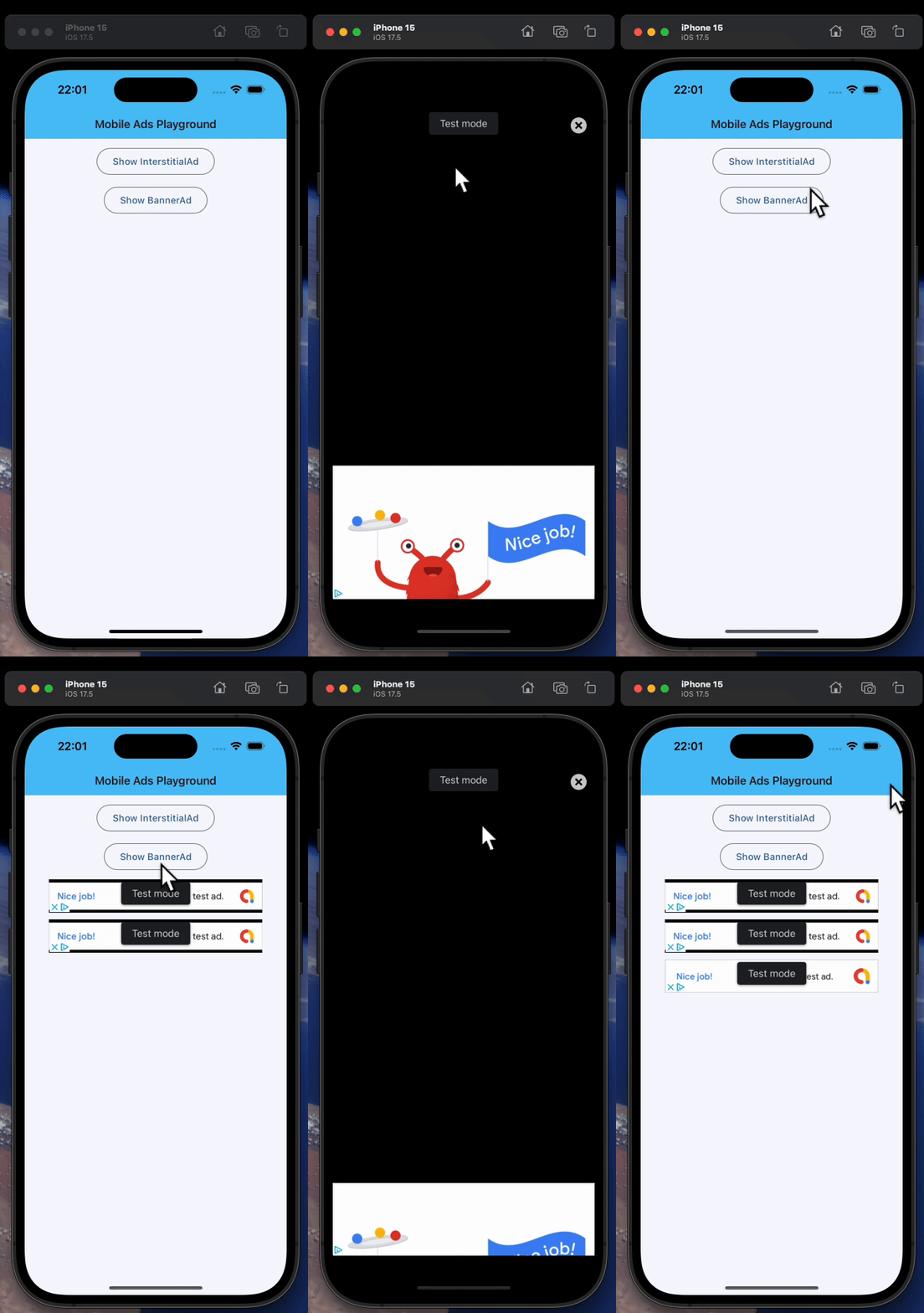
Types
The following types are available:
Test Values
AdMob provides app and ad unit IDs for testing purposes.
- AdMob app ID:
"ca-app-pub-3940256099942544~3347511713" BannerAd.unit_idon Android:"ca-app-pub-3940256099942544/9214589741"BannerAd.unit_idon iOS:"ca-app-pub-3940256099942544/2435281174"InterstitialAd.unit_idon Android:"ca-app-pub-3940256099942544/1033173712"InterstitialAd.unit_idon iOS:"ca-app-pub-3940256099942544/4411468910"
Remember to replace these values with your own when you're ready to package your app.
Packaging
The following are to be done when packaging an app that makes use of one of the above ad controls.
Include Ads package
Add --include-packages flet_ads to the flet build command, for example:
flet build apk --include-packages flet_ads
Specify AdMob app ID
Specify your AdMob app ID, without which your application might crash on launch.
You can specify the app ID in two ways:
- In your
pyproject.tomlfile:
# for Android
[tool.flet.android.meta_data]
"com.google.android.gms.ads.APPLICATION_ID" = "ca-app-pub-xxxxxxxxxxxxxxxx~yyyyyyyyyy"

# for iOS
[tool.flet.ios.info]
GADApplicationIdentifier = "ca-app-pub-xxxxxxxxxxxxxxxx~yyyyyyyyyy"
- In your build command from the terminal:
# for Android
flet build apk ... --android-meta-data com.google.android.gms.ads.APPLICATION_ID=ca-app-pub-xxxxxxxxxxxxxxxx~yyyyyyyyyy

# for iOS
flet build ipa ... --info-plist GADApplicationIdentifier=ca-app-pub-xxxxxxxxxxxxxxxx~yyyyyyyyyy